
Download Chromifox – Chrome‑style Firefox theme, free, sleek UI
Overview
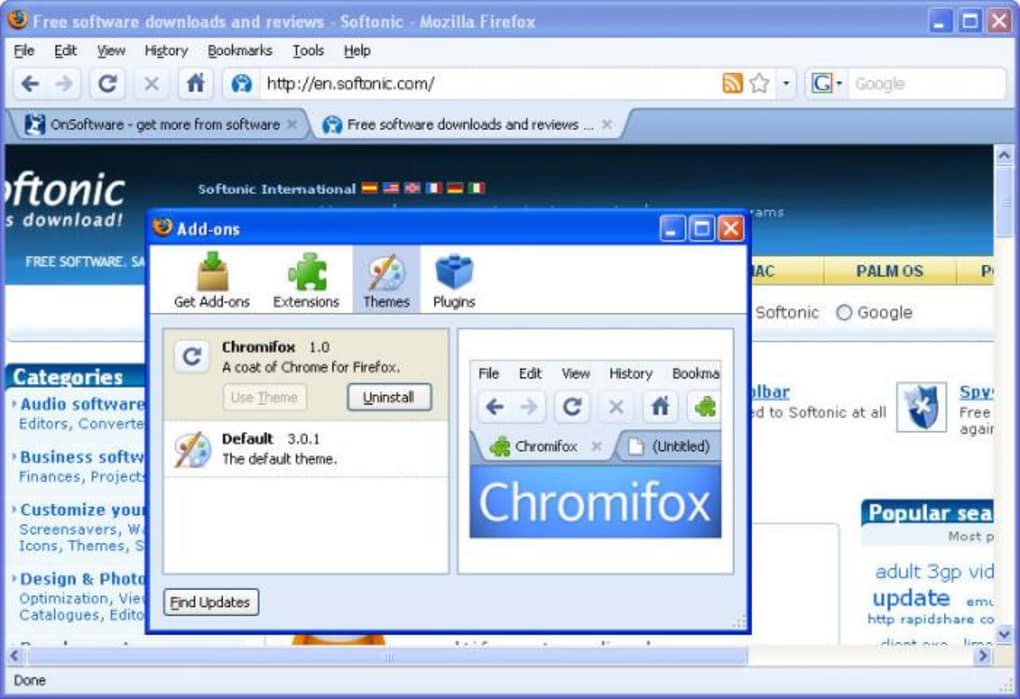
Chromifox is a visual theme that brings the clean, minimalist aesthetic of Google Chrome to Mozilla Firefox. If you love Chrome’s thin blue accents, flat icons, and streamlined tab bar but prefer Firefox’s performance, privacy settings, and extensibility, this theme offers a compelling compromise. Once installed, Chromifox replaces Firefox’s default icons, adjusts the tab shape to a slimmer profile, and paints the browser window with a subtle blue hue that mirrors Chrome’s signature color palette.
The result is a sleek, modern look that feels familiar yet stays true to Firefox’s underlying engine. While it does not replicate Chrome’s “aura of cleanliness” perfectly—some users still notice the subtle differences in spacing and widget rendering—Chromifox delivers a polished visual overhaul without sacrificing the speed and customizability that Firefox users cherish. The theme is completely free, lightweight, and updates automatically through Firefox’s add‑on manager, ensuring you always have the latest visual tweaks.
Whether you’re switching from Chrome, juggling multiple browsers, or simply looking to refresh your Firefox UI, Chromifox is an easy‑to‑install solution that transforms the browser’s appearance in seconds.
Key Features of Chromifox
- Chrome‑inspired color scheme: A thin blue accent runs across the title bar, address bar, and tabs, mimicking Chrome’s iconic hue.
- Minimalist icons: All default Firefox icons (new tab, downloads, settings, etc.) are replaced with flat, modern equivalents that match Chrome’s visual language.
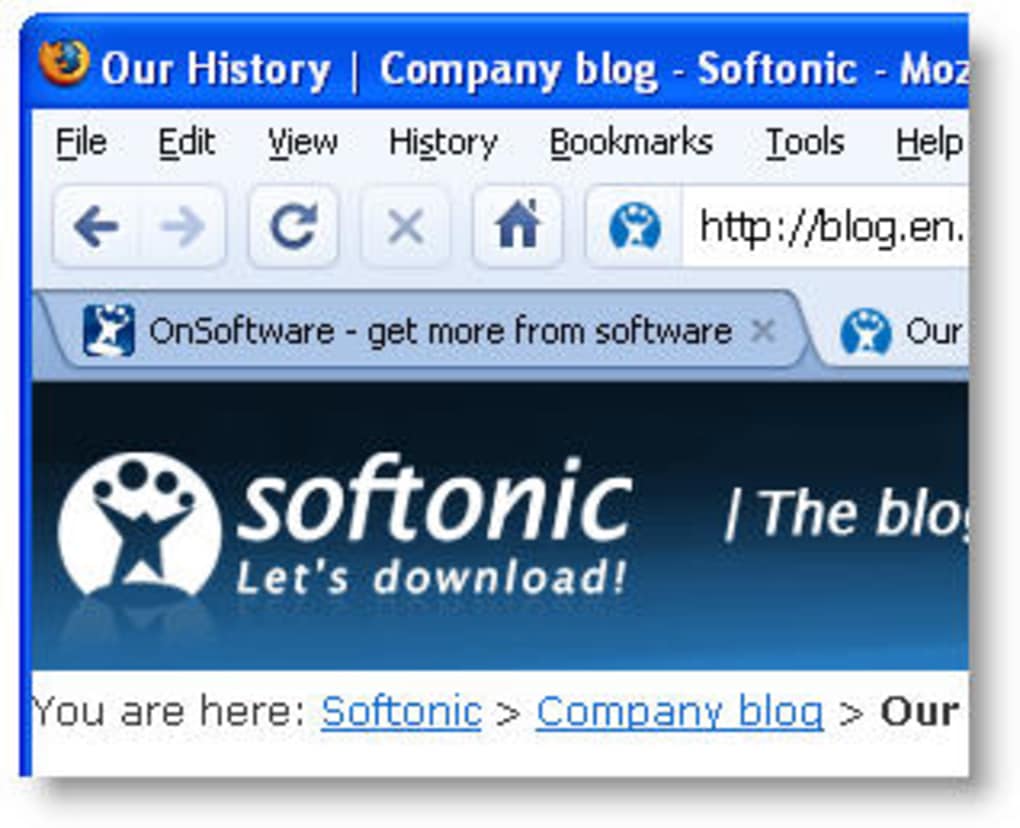
- Sleek tab design: Tabs become slimmer with rounded corners, providing a cleaner look while retaining Firefox’s tab‑dragging functionality.
- Full compatibility with Firefox extensions: The theme does not interfere with add‑ons, allowing you to keep your favorite productivity or privacy extensions active.
- Automatic updates: As part of Firefox’s add‑on ecosystem, Chromifox receives regular updates that address visual bugs and keep the theme aligned with new Firefox releases.
- Low memory footprint: The theme is purely visual; it adds negligible overhead, ensuring Firefox remains fast and responsive.
- Easy toggle: Switch back to the default Firefox appearance with a single click from the Add‑ons Manager, making testing painless.
Installation, Usage Instructions & Compatibility
Step‑by‑step Installation
- Open Firefox and navigate to the official Chromifox page on Mozilla Add‑ons.
- Click the “Add to Firefox” button. Firefox will prompt you to confirm the installation.
- Review the permissions (Chromifox only needs access to modify the browser UI) and click “Add”.
- After the download finishes, a small notification will appear confirming the theme is installed.
- To activate the theme, go to Menu → Add‑ons and Themes → Themes and select “Chromifox”. The browser will instantly refresh with the new visual style.
Using Chromifox Effectively
Once activated, Chromifox works in the background, applying its styles to every new window you open. If you use multiple profiles, you’ll need to enable the theme in each profile individually. The theme also respects Firefox’s dark mode; when you switch to a dark theme, Chromifox automatically adjusts its blue accent to a darker shade, preserving readability. Should you wish to revert to Firefox’s default look, simply return to the Themes page and select “Default”. Because Chromifox is a visual add‑on only, it does not interfere with bookmarks, history, or any personalized settings.
System Compatibility
Chromifox is built to run on all major operating systems supported by Firefox:
- Windows 10, 11 (both 32‑bit and 64‑bit)
- macOS 10.15 (Catalina) and later
- Linux distributions with Firefox ESR or regular release
- Chrome OS (via the Linux (Beta) environment)
Pros, Cons & Frequently Asked Questions
Pros
- Free and open‑source – no hidden fees.
- Instantly transforms Firefox into a Chrome‑looking browser.
- Lightweight with virtually no performance impact.
- Fully compatible with other extensions and themes.
- Automatic updates through Mozilla’s add‑on system.
Cons
- Does not replicate Chrome’s UI 100% – subtle differences remain.
- Limited customization beyond the default Chrome‑style palette.
- Older Firefox versions may show alignment issues.
FAQ
Is Chromifox safe to install?
Yes. Chromifox is hosted on the official Mozilla Add‑ons site, which reviews each submission for security and privacy compliance. The theme only modifies visual elements and does not collect any user data.
Can I use Chromifox with Firefox’s Dark Mode?
Absolutely. Chromifox detects Firefox’s theme setting and automatically adjusts its blue accent to a darker tone when Dark Mode is active, ensuring good contrast and readability.
Will Chromifox affect browser performance?
No noticeable performance loss. The theme is purely CSS‑based and adds only a few kilobytes of style data, which Firefox loads instantly during startup.
Is there a way to customize the blue accent color?
Chromifox does not include a built‑in color picker, but advanced users can edit the theme’s CSS file via the “about:debugging” page to change the hue to any shade they prefer.
Can I use Chromifox on mobile Firefox?
No. The theme is designed for desktop versions of Firefox. Mobile Firefox (Android/iOS) does not support UI‑theming add‑ons, so Chromifox is unavailable on those platforms.
Conclusion & Call to Action
Chromifox fills a niche that many Firefox enthusiasts didn’t even know they needed: a clean, Chrome‑inspired visual layer that preserves Firefox’s underlying power. The theme’s free price tag, effortless installation, and cross‑platform compatibility make it a low‑risk experiment for anyone curious about a new look. While purists may argue that the experience isn’t a perfect Chrome clone, the subtle blue accents and refined icons provide a fresh aesthetic that can rejuvenate daily browsing sessions. If you’ve been juggling between Chrome and Firefox or simply want to give your favorite browser a modern facelift, now is the perfect time to download Chromifox and see the transformation for yourself. Click the “Add to Firefox” button on the official add‑on page, enable the theme, and enjoy a sleeker, more cohesive browsing environment today.







